

Monthly subscriptions can make life easier. You can stream movies, listen to music, store files online, use premium apps, take online courses, or access useful software with just a few taps.
The problem starts when you keep paying for subscriptions you barely use.
One small monthly payment may not seem important. But when you have several subscriptions running at the same time, they can quietly take a significant portion of your budget. Some people even continue paying for services they forgot they signed up for.
The good news is that finding and canceling unnecessary subscriptions does not have to be difficult.
In this guide, you will learn how to cancel unnecessary subscriptions, how to find forgotten recurring payments, how to decide which subscriptions are worth keeping, and how to prevent unnecessary charges in the future.
Why Unnecessary Subscriptions Can Hurt Your Budget
Subscriptions are designed to be convenient. Once you sign up, the payment is usually charged automatically every billing cycle.
That convenience can also make subscriptions easy to forget.
For example, you might sign up for a free trial because you want to test an app. If you forget to cancel it before the trial ends, the service may automatically start charging you.
The same thing can happen with:
- Streaming services
- Music apps
- Cloud storage
- Fitness apps
- Online learning platforms
- Software subscriptions
- Gaming services
- News websites
- Productivity tools
- Premium mobile apps
The issue is not that subscriptions are always bad. The problem is paying for services that no longer provide enough value.
A subscription you use regularly may be worth keeping. One you rarely use may simply be draining money from your budget.
How to Find All Your Monthly Subscriptions
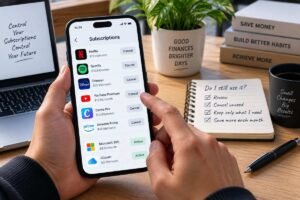
Before you start canceling subscriptions, you need to know exactly what you are paying for.
If you use Android, you can review and cancel eligible subscriptions through Google Play’s official subscription management guide.
This is often the hardest part because subscriptions can come from different companies and payment methods.
Here is a simple process you can follow.
1. Check Your Bank Statements
Start by reviewing your recent bank statements.
Look for recurring charges that appear every month or at regular intervals.
Pay attention to company names you do not immediately recognize. Some businesses use a billing name that is different from the name of the app or service you remember.
Go through several months of statements if possible. A subscription may not appear every month if it uses annual billing.
Make a list of every recurring payment you find.
2. Check Your Credit Card Statements
If you use a credit card, check your credit card statements as well.
You may have subscriptions connected to your card that are not connected to your bank account.
Look for repeated charges and write down:
- The service name
- How often you are charged
- The amount
- The payment method
- Whether you still use the service
This gives you a clearer picture of where your money is going.
3. Check Google Play Subscriptions
If you use an Android phone, some subscriptions may be managed through Google Play.
Open your Google account’s subscription section and review the services connected to your account.
Do not assume that every app on your phone is free. Some apps have recurring premium plans that you may have forgotten about.
Cancel subscriptions you no longer need according to the service’s cancellation process.
4. Check Apple Subscriptions
If you use an iPhone or iPad, check your Apple account’s subscriptions.
For Apple subscriptions, you can follow Apple’s official instructions for canceling a subscription to review your active plans and cancel the ones you no longer need.
You may find subscriptions for apps, entertainment services, storage, or other digital products.
Review them one by one instead of automatically keeping everything.
5. Check PayPal and Other Payment Accounts
Subscriptions can also be connected to payment services such as PayPal.
If you use PayPal for recurring payments, you can also review your linked subscriptions through PayPal’s subscription management guide.
Check your automatic payments and recurring billing agreements.
This step is especially useful if you do not see a subscription clearly listed on your bank statement.
6. Search Your Email
Your email inbox can be another useful place to find forgotten subscriptions.
Search for terms such as:
- Subscription
- Recurring payment
- Renewal
- Trial
- Your membership
- Payment confirmation
- Billing
- Receipt
- Cancel subscription
You may discover old accounts that you completely forgot about.
Create a Simple Subscription List
Once you have gathered the information, put everything into a simple list.
You do not need complicated budgeting software. A spreadsheet, notebook, or notes app can work.
Create columns for:
| Subscription | Cost | Billing Cycle | How Often I Use It | Keep or Cancel |
|---|---|---|---|---|
| Streaming service | Monthly | Monthly | Often | Keep |
| Fitness app | Monthly | Monthly | Rarely | Cancel |
| Cloud storage | Monthly | Monthly | Often | Keep |
| Online course | Monthly | Monthly | Never | Cancel |
The goal is to make your recurring expenses visible.
You cannot easily manage expenses that you have never identified.
How to Decide Which Subscriptions to Cancel
Finding your subscriptions is only the first step.
Next, decide which ones are actually worth keeping.
Ask yourself these questions for every subscription.
Do I Use It Regularly?
If you use a service several times a week and it provides real value, there may be a good reason to keep it.
But if you have not used it for several weeks or months, it deserves a closer look.
Does It Help Me Reach a Goal?
Some subscriptions may support an important goal.
For example, you might use an educational platform to learn a valuable skill or software that helps you with your work.
A subscription does not necessarily need to provide entertainment to be useful. It can also support learning, productivity, or income-related activities.
Would I Miss It If I Canceled It?
Imagine that the subscription disappeared tomorrow.
Would you immediately notice?
Would you need it again?
Or would you simply move on?
This simple question can reveal which subscriptions actually matter to you.
Is There a Free Alternative?
Sometimes you are paying for features that you rarely use.
Before canceling, check whether a free or lower-cost alternative meets your needs.
However, do not replace every paid service with another subscription. The goal is to simplify your expenses, not move the same spending somewhere else.
How to Cancel Unnecessary Subscriptions

Once you have identified the subscriptions you no longer need, cancel them systematically.
Step 1: Find the Official Cancellation Page
Log in to the service and look for sections such as:
Account → Billing → Subscription → Manage Plan → Cancel
The exact wording will vary between services.
If you cannot find the option, check the company’s official help center.
Step 2: Check the Renewal Date
Before canceling, check when your next payment is scheduled.
This helps you understand whether you are canceling before the next billing cycle.
Some services may allow you to continue using the subscription until the end of the current billing period after cancellation.
Step 3: Follow the Cancellation Process Completely
Some services may ask you several questions before completing the cancellation.
Do not assume that closing the app or deleting it from your phone cancels the subscription.
Deleting an app is not necessarily the same as canceling its subscription.
Always look for confirmation that the recurring plan has actually been canceled.
Step 4: Save the Confirmation
If you receive a cancellation email, keep it.
You can also take a screenshot of the cancellation confirmation.
This gives you a record if you are charged again later and need to contact customer support.
What If You Cannot Find the Subscription?
Sometimes you see a recurring charge but cannot remember which account is connected to it.
Do not ignore it.
Start by checking the transaction details on your bank or card statement.
Then search your email for the company name or billing description.
You can also check your Google, Apple, PayPal, or other payment accounts.
If you still cannot identify the charge, contact your bank or payment provider for information about the transaction.
If a company continues taking automatic payments after you have canceled, the Consumer Financial Protection Bureau’s guidance on stopping automatic payments explains the steps consumers can take and why it is important to keep records of cancellation requests.
If you believe a charge is unauthorized, follow your financial institution’s process for reporting it.
Common Subscription Mistakes to Avoid
Canceling unnecessary subscriptions is useful, but preventing future waste is even better.
Here are some common mistakes to avoid.
Signing Up for Too Many Free Trials
Free trials can be useful for testing a service.
The problem is forgetting about them.
Before starting a trial, make a note of the trial end date and decide whether you actually want the service.
Paying for Duplicate Services
You may accidentally pay for multiple services that do similar things.
For example, you might have several entertainment or cloud storage subscriptions that provide overlapping benefits.
Review your subscriptions together instead of evaluating each one separately.
Keeping a Subscription Because “I Might Use It”
This is one of the easiest ways to waste money.
If you have not used something in months, ask yourself whether you realistically expect your behavior to change.
You can always sign up again later if you genuinely need the service.
Forgetting Annual Subscriptions
Not every recurring expense is monthly.
Some services charge once a year.
These payments can be easier to forget because they do not appear on your statement every month.
Include annual subscriptions in your review.
How to Prevent Unnecessary Subscriptions in the Future
Once you clean up your subscriptions, create a simple system to keep them under control.
Review Subscriptions Once a Month
Choose one day each month to review your recurring payments.
This does not need to take long.
Check your bank account, credit card, payment apps, and subscription accounts.
Keep a Subscription List
Maintain one simple list containing all your active subscriptions.
Whenever you sign up for something new, immediately add it to the list.
Whenever you cancel something, remove it.
Set Reminders for Free Trials
If you start a free trial, set a reminder before the trial ends.
This is particularly useful for services that automatically convert free trials into paid plans.
Use a Simple Rule Before Signing Up
Before starting a new subscription, ask:
Will I use this regularly enough to justify keeping it?
If you are unsure, consider whether you actually need a recurring plan.
A Simple Monthly Subscription Audit

You can use this checklist once a month:
- Review bank statements
- Review credit card statements
- Check Google or Apple subscriptions
- Check PayPal and other payment accounts
- Review email receipts
- Identify subscriptions you rarely use
- Check annual subscriptions
- Cancel services you no longer need
- Save cancellation confirmations
- Update your subscription list
Doing this regularly can help prevent forgotten subscriptions from quietly becoming permanent expenses.
How Much Can You Save by Canceling Subscriptions?

The amount depends entirely on your personal spending.
Someone with only one or two subscriptions may save very little. Someone with several unused services may free up much more money.
The important point is not the amount saved from one subscription.
The bigger benefit comes from consistently removing expenses that no longer provide value.
Money that is no longer going toward unused services can instead be directed toward your emergency fund, debt payments, savings goals, or other important expenses.
If you are currently dealing with debt, redirecting those savings toward debt payments can also help you make steady progress toward becoming debt free.
Frequently Asked Questions
How do I find subscriptions I forgot about?
Start by checking your bank and credit card statements. Then review Google or Apple subscriptions, payment services such as PayPal, and your email for renewal or payment confirmations.
Does deleting an app cancel the subscription?
Not necessarily. Removing an app from your phone usually does not automatically cancel its recurring payment. Check the subscription settings for the service and confirm that the plan has been canceled.
How often should I review my subscriptions?
A monthly review is a simple approach. You can also perform a more detailed review every few months to identify services you no longer use.
Should I cancel a subscription I rarely use?
Consider how valuable the service is to you. If you rarely use it and do not expect to need it soon, canceling may be worth considering.
What should I do before canceling a subscription?
Check the renewal date, understand what happens after cancellation, and make sure you save any important information or files associated with the service.
Can I subscribe again after canceling?
For many services, yes. If you need the service again in the future, you can usually restart your subscription. The exact process depends on the provider.
What is the easiest way to keep track of subscriptions?
A simple spreadsheet or notes list can work well. Record the service, billing frequency, renewal date, and whether you still use it.
Final Thoughts
Learning how to cancel unnecessary subscriptions is a simple but useful money management habit.
The first step is to find every recurring payment you have. Check your bank statements, credit cards, app stores, payment services, and email. Then review each subscription and ask whether you actually use it and whether it still provides enough value.
Do not focus only on the cost of one subscription. Look at your recurring expenses as a whole.
A subscription audit can help you identify forgotten services, reduce unnecessary expenses, and give your budget more room for the things that actually matter.
You do not need to cancel everything.
The goal is simply to make sure your money is going toward services and goals that are genuinely useful to you.